Music Chat App
Go to projectA chat app where you talk in songs instead of texts.
Type what you want to say, and the app finds a song that says it for you.
Overview
What if you could text someone a song instead of words?
Sometimes a song says it better than you can. You type what you want to say, hit send, and instead of your words showing up in the chat, a song bubble appears with the matched lyric, album art, and a link to listen.
People already share songs in conversations to say what they're feeling. This app just skips the manual part. The interface looks like a normal chat, but every message is a song.
The Experience
It should feel like texting — but every message is a song
It looks and feels like a normal text conversation. You never leave the chat to search for music.
Type what you feel
Natural language input
Open the chat and type whatever is on your mind — a feeling, a phrase, a thought. No need to know song titles or artists. Just say what you want to say, the way you'd say it in a text.
Chat input with iMessage stylingHit send
Message intercepted
When you hit the send button, your text doesn't appear as a regular message. Instead, the app intercepts it and begins searching for the song whose lyrics most closely match what you typed.
Message event handlerBest match found
Lyrics scored and ranked
The app searches a lyrics database and scores every line against your message. The song with the closest matching lyric is selected, then enriched with album artwork, artist info, and a playback link from the Spotify API.
Lyrics API + Spotify metadataSong delivered
Chat bubble with playback
Instead of your text, a song bubble appears in the chat — showing the matched lyric, album art, artist name, and a link to listen. The conversation becomes a playlist, each message a song that says what you couldn't.
Inline audio previewHow It Works
Type a message, send a song — here's what happens behind the scenes
The flow is designed to feel like normal texting — you type, you hit send. But instead of your words landing in the chat, the app intercepts your message, finds the song that best matches what you were trying to say, and delivers it as a rich song bubble. The whole process happens in the background so the experience stays conversational.
Design Decisions
Why it works this way
Some choices that shaped how the app works.
Why a chat interface instead of a search bar?
A search bar makes you think about what song you want. A chat input makes you think about what you want to say. That shift changes the whole interaction.
Why match by lyrics instead of song title?
Nobody thinks in song titles. You think in feelings. So if you type "I miss you," you get a song that literally says that, not one that happens to have it in the title.
Why show the matched lyric line in the bubble?
You typed something and the song echoes it back. Without seeing the matched lyric, the connection between your message and the song would feel random. Showing the line is what makes it click.
Why the iMessage visual language?
The blue send bubble, grey receive bubble, and rounded card layout all borrow from iOS messaging conventions. Using a familiar visual language means users already know how to interact — the novelty is in what appears, not how to use it.
Earlier Variation
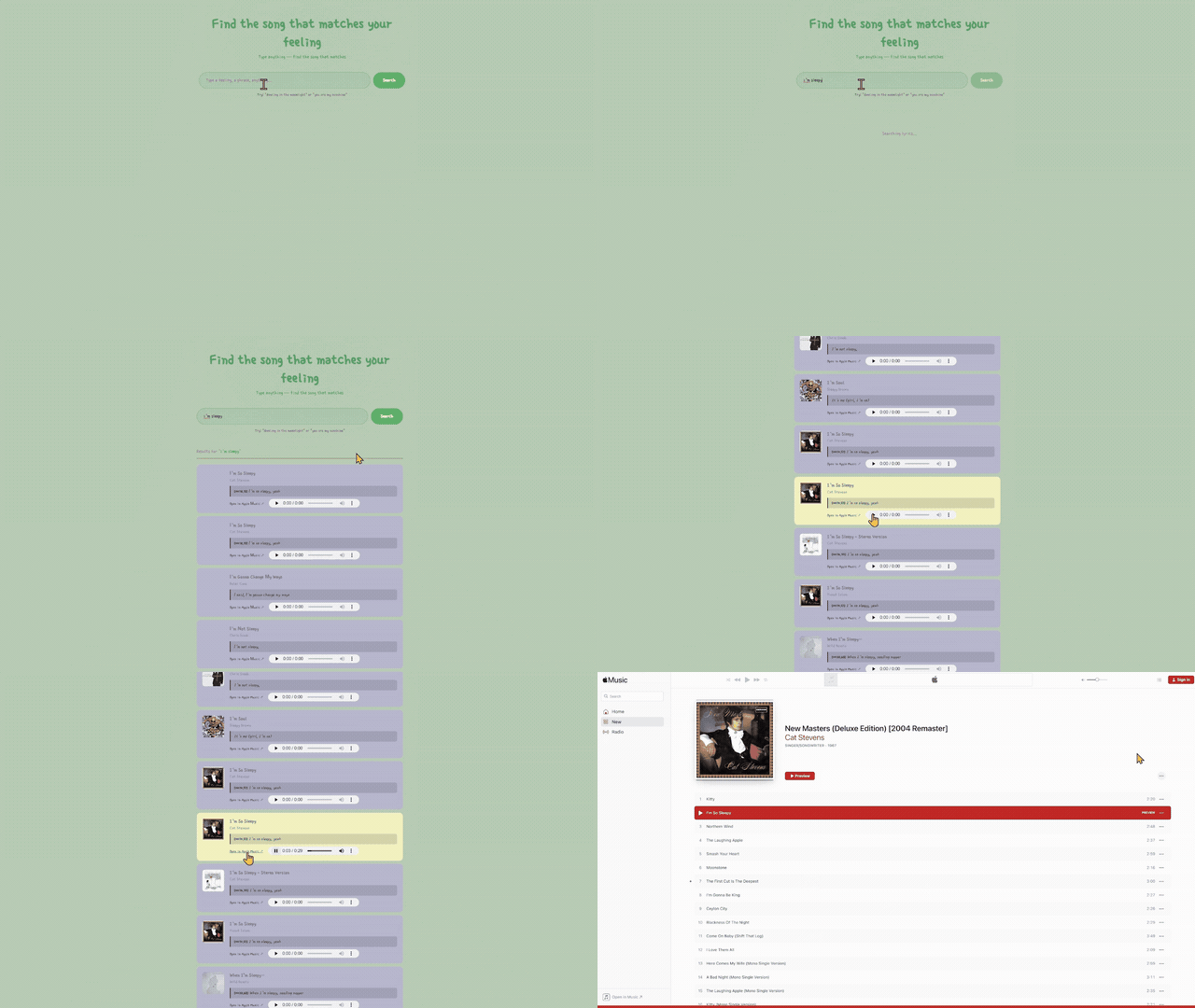
Lyrics Search — where this idea started
Before turning this into a chat app, I built a standalone lyrics search engine as an earlier experiment with the same music APIs. Same core idea — type a feeling, get a song — but presented as a traditional search interface instead of a conversation.
That version ran a multi-step pipeline: querying the Genius API for candidates, scraping and parsing full lyrics, scoring each song with a sliding-window matching algorithm, then enriching the best result with Spotify album art and a YouTube video. It also fetched synced lyrics from LRCLIB to calculate precise timestamps, so the song would play from the exact line that matched your input.
The stack was intentionally lean — Express, SQLite, Socket.io, and vanilla HTML/CSS/JS. No frameworks, no build tools. The music chat app grew out of this project once I realized the search worked well enough to wrap in a conversational interface.